


Home  TechnologyIT SectorDetailed Review of the WP Plugin – Yoast SEO for Optimizing WordPress Pages
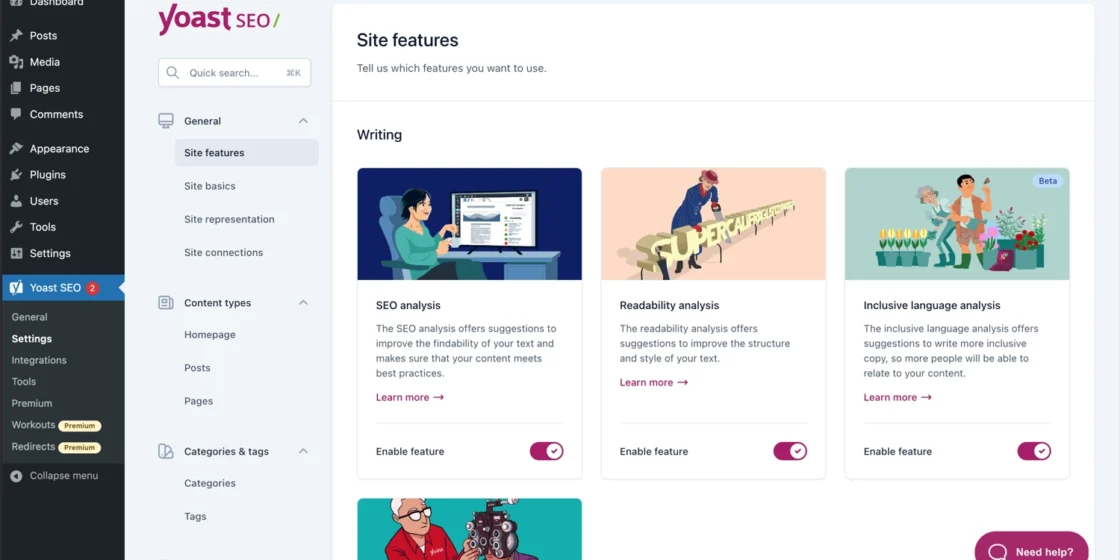
TechnologyIT SectorDetailed Review of the WP Plugin – Yoast SEO for Optimizing WordPress Pages TechnologyIT SectorDetailed Review of the WP Plugin – Yoast SEO for Optimizing WordPress Pages If you run a WordPress site and want it to be found on Google, you need a solid SEO tool. Yoast SEO is the most popular plugin for optimizing content right inside your editor. It helps pages show up better in search, makes text easier to read, and points out mistakes. You don’t have to be an SEO expert. Yoast gives simple, real-time tips that tell you what to change to rank higher. You can see results before you publish.
Yoast SEO has been around since 2010 and became a standard in WordPress SEO. It plugs right into your editor (Block Editor, Classic Editor, Elementor, WooCommerce) and checks content while you write.
The main idea is simple: you write, Yoast checks. It looks at SEO and readability metrics and gives clear suggestions.
There’s a free version and a paid version. The free version covers basic optimization. Premium adds more automation, AI tools, and 24/7 support.
Key features of Yoast SEO:
Using Yoast SEO is easy. If you have basic WordPress experience, you’ll be fine. Do this:
Tip: If you’re new, leave most settings at default and focus on the Snippet Editor.
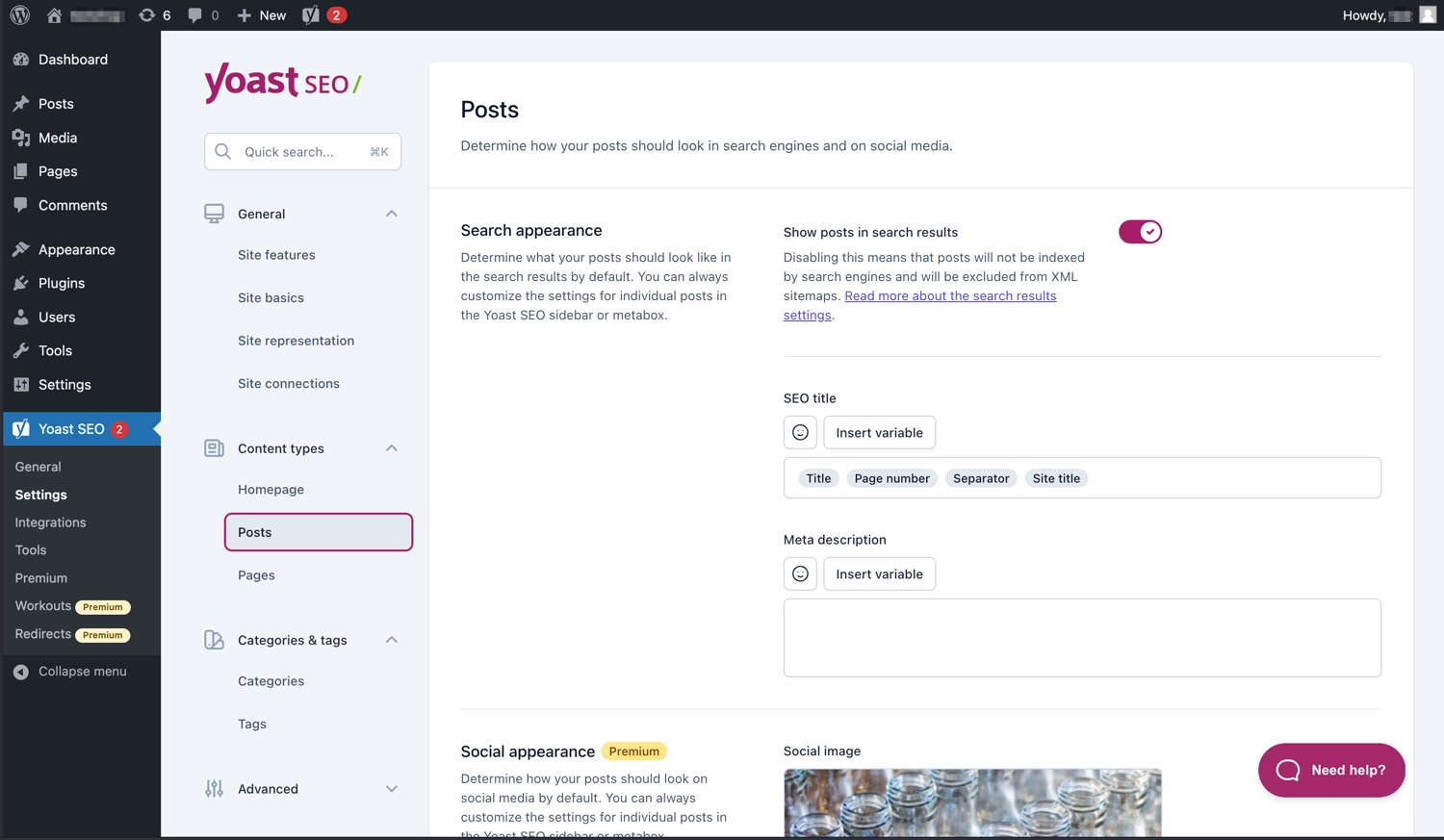
Creating content with this plugin is intuitive. Each post and page gets a Yoast SEO panel. There you can:
Yoast shows traffic-light indicators: red, yellow, and green. You don’t have to hit green everywhere, but it’s a useful guide.
The free Yoast version is powerful. Premium adds features that save time and give more control. What Premium gives you:
Premium also includes extra modules:
From July 2025, AI tools are built into Premium with no extra fees or logins.
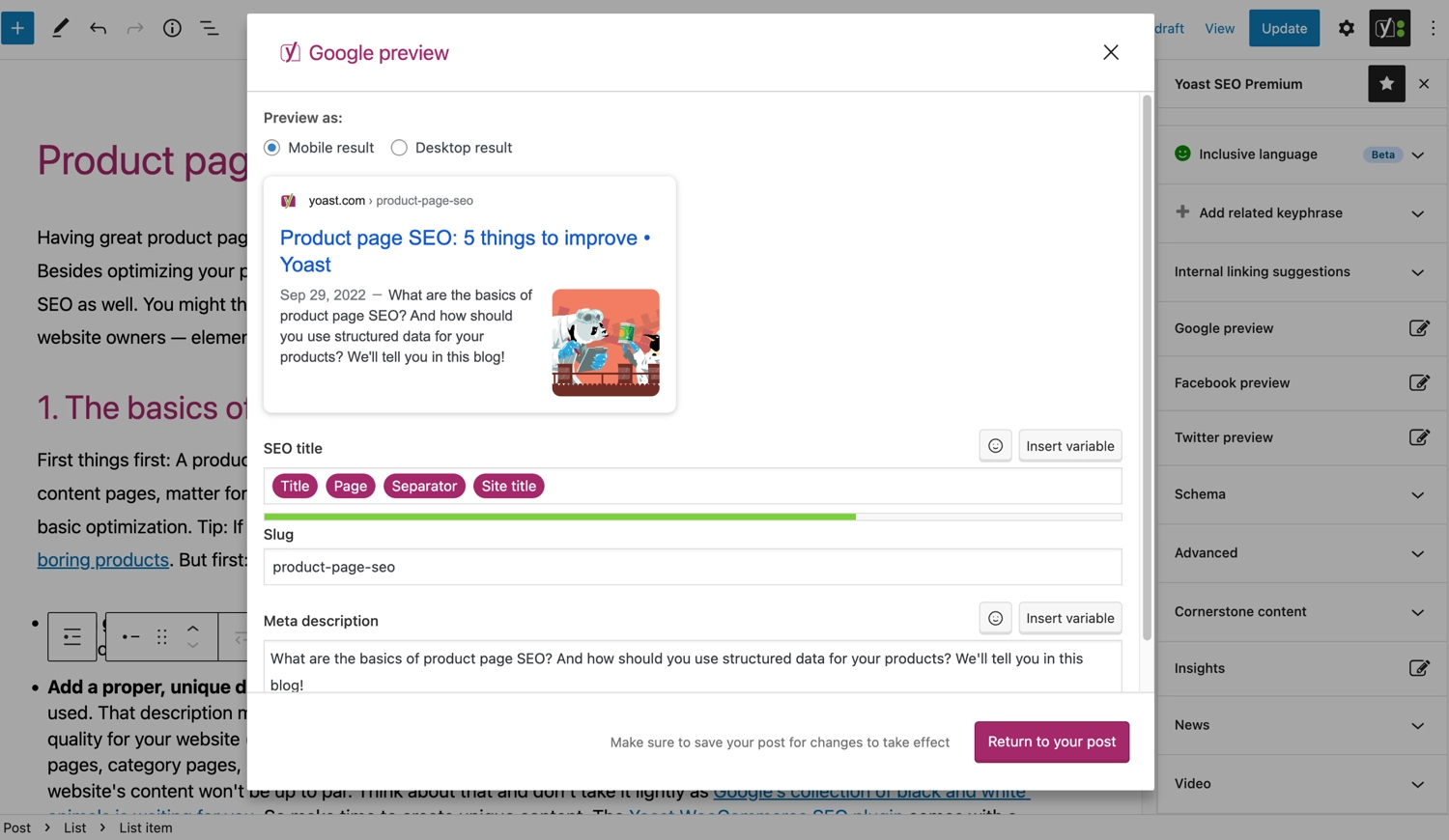
Yoast WooCommerce SEO is a module created for online stores on WooCommerce. It bundles Yoast Premium features and adds tools for products:
The result: your products look better in search and get more clicks.
You may also like:
The plugin makes SEO easy to understand even for a beginner, and saves hours of work for experienced users.
Pros:
Cons:
Comparison with alternatives:
Yoast stays the most popular due to its mix of ease and depth.
Setting up Yoast SEO on WordPress is easy. To make sure everything goes right, watch this video:
Yoast SEO is a must-have for any WordPress site. The free version covers most blogs and small sites. Premium and WooCommerce SEO are worth it if you work seriously with content or run an online store.
Tips for using Yoast well:
Yes. The tips are written in plain language, so you can use it without deep SEO knowledge.
Its impact is minimal. But on weak hosting, disable modules you don’t need.
XML sitemaps help search engines find important pages on your site quickly. They’re useful even if your internal links aren’t perfect.

 On the portal with 25.06.2023
  75 articles
  311236 переглядів

The questions you can ask a guy when communicating can be different. The main thing is that they are suitable for a c...
 April 8, 2024
  140.8 K
Standing up straight, grip the dumbbells with a neutral grip and bring your hands down in front of your hips. Bend yo...
 August 5, 2023 32.6 K
Want to find someone online by their full name? This guide shows how to use a true people search finder – from social...
June 27, 2025 20.1 K
Turkish TV series have won the hearts of millions of viewers around the world by offering exciting plots, deep emotio...
April 8, 2024 15.7 K
Explore 110 authentic compliments to make a girl feel special. Find tips and phrases to compliment a girl naturally a...
July 1, 2025 14.5 K
NFTs aren’t just a trend–they’re a new way to prove ownership online. This guide breaks down what NFTs are, how they ...
July 2, 2025 10.2 K
Looking for the perfect words to add to your photo album? We’ve gathered over 70 captions for photo albums–funny, emo...
July 3, 2025 7.2 K
Today, many amateur gardeners are interested in planting blueberries and growing tall blueberries. Its delicious berr...
February 8, 2024 6.3 K
Looking to boost your income without leaving the house? From freelance gigs to content creation, this guide reveals 1...
July 4, 2025 5.5 K
Strength training at home can be done with resistance bands. They provide a functional alternative to deadlifts, squa...
August 5, 2023 5.1 KExpert recommendations and exclusive offers in your inbox.
This section contains information about gambling and is available only to persons who are 21 years of age or older in accordance with the applicable laws of Ukraine. Please confirm that you are 21 years of age or older.
This platform does not have a Ukrainian license. The link is provided for informational purposes only. Participation in games on such sites may violate Ukrainian law.